Welcome to the HCI-FACE Documentation
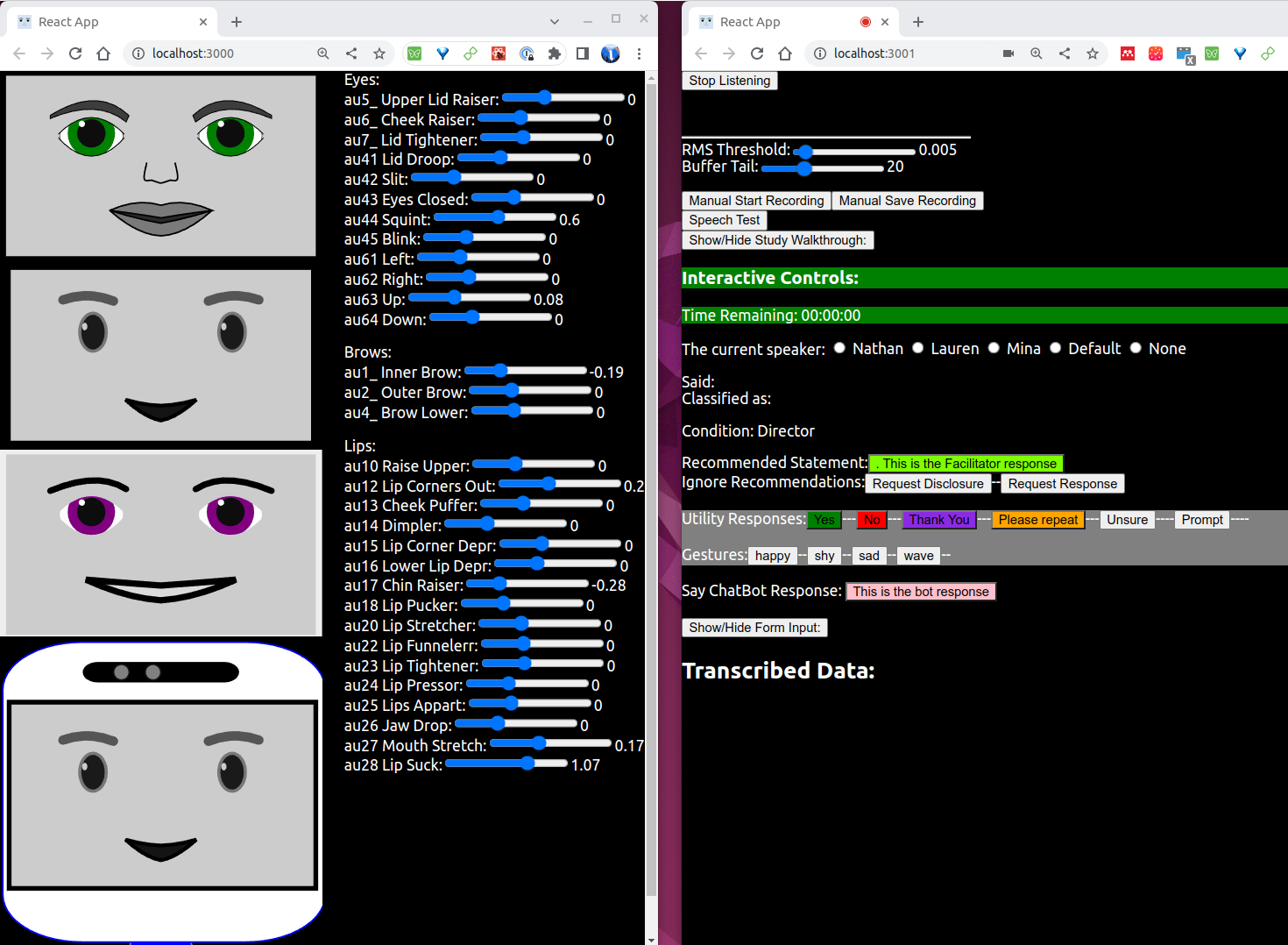 This repository contains all you need to create an interactive conversational bot. With a customizable animated face (left) and a customizable set of controls (right) and everything you need to do interactive conversation (not pictured), HCI-FACE is everything you need.
About HCI-FACE
Human-Computer Interaction Facial Animation and Conversation Engine
Also Known As: OSCAR, your Open Source Communication AnimatoR
HCI-FACE is an open source, fully customizable, full stack, interaction engine. It combines a React front end with a python back end to power an animated face capable of real time voice based interaction.
HCI-FACE utilizes freely available, open source elements to power all the interaction components, but also supports easily swapping modules (TTS, STT, chatbot, etc.) for use with paid cloud services.
Getting Started
Prerequisites
You will need to have nodejs (>=16 - (Option 2 or 3 in these instructions)[https://www.digitalocean.com/community/tutorials/how-to-install-node-js-on-ubuntu-20-04]) and a package manager installed.
Front End
To get started you will need to install the face and WoZ front ends. Run the following command in frontend/face and frontend/WoZ folders:
npm install
Then to launch each webpage (in a development environment), run the following command in frontend/face and frontend/WoZ folders:
npm start
The browser should launch with each page automatically, but you may need to past the address into the url bar.
For further details see the README in the face and WoZ folders.
QT Front End
See the hci_face_bridge README for more information on setting up QT with HCI Face
Back End
To use the back end, install the requirements.txt with your favorite package manager. I suggest anaconda
conda create --name hci-face python=3.9

conda activate hci-face

cd backend

pip install -r requirements.txt
If you have trouble installing pyaudio, I recommend following these directions.
This may take a while, depending on your internet connection.
Any huggingface models you choose to use should be installed automatically on first use.
If you wish to use chatGPT (enabled by default) you will need to add your API key to your environment.
For further details see the README in the backend folder.
Components
Front End
The front end is a single react web page with the following elements:
- An animated face of SVG elements animated with the react-spring library
- Microphone input passed through a websocket to the python backend
- A form input for testing and controlling elements of the face
The face design is easily modified and customized, while utilizing FACs for animation control to maintain animation accross differing visual renderings.
Back End
The back end consists of python libraries for TTS, STT, and chatbot interaction. The back end is connected to the front end with fastapi. The open source backend components are:
- Text-To-Speech (TTS): TTS uses models powered by the coqui tts library.
- Speech-To-Text (STT): STT uses whisper models from huggingface.
- Chatbot: The chatbot functionality is currently provided by generative models from huggingface such as GPT-NEO.
These modules are imported into the app/api.py and can be replaced with private/paid modules by switching the imports.
Helpful Resources
Front End
Viseme Cheat Sheet and Lip Synchronization
Back End
TODO List
"*" Items open for contribution
Front End
- Different visuals presets
- Additional idle behaviors such as breathing, thinking, etc.
- Improve accuracy of lip sync for Coqui*
- Lip sync seems effective for polly
- Allow exporting faces from AU form for custom expressions
- Seperate left and right control for facial expressions
- Support for multi-page WoZ controlls
- Possibly merge face and WoZ back together?
Back End
- finish face control api (AU and left-right control)
Long Term Goals
- Interaction Lab greeter
- meeting note taker
- Fully automatic speaker detection and labeling.
- Timer work encouragement
- Philosophy Teacher
- Meditation Leader
- Basic Q&A
- Deploy to the cloud
Docs
- Make tutorials
- How to Customizing the bot appearance *
- How to contribute
- How to customize responses
- How to add a new API service
- Organize dependency requirements